Making a group and inviting friends
Make a group for a trip or a dinner, invite people with a link or QR code, and add guests who have no account.
Make a group
- On My groups, tap New group.
- Type a Group name, like "Weekend in Da Lat".
- Leave Currency as VND, or pick another.
- Under Who's coming?, tick friends you've been in a group with before.
- For anyone without an account, type their name under People without an account and tap Add.
- Tap Save.
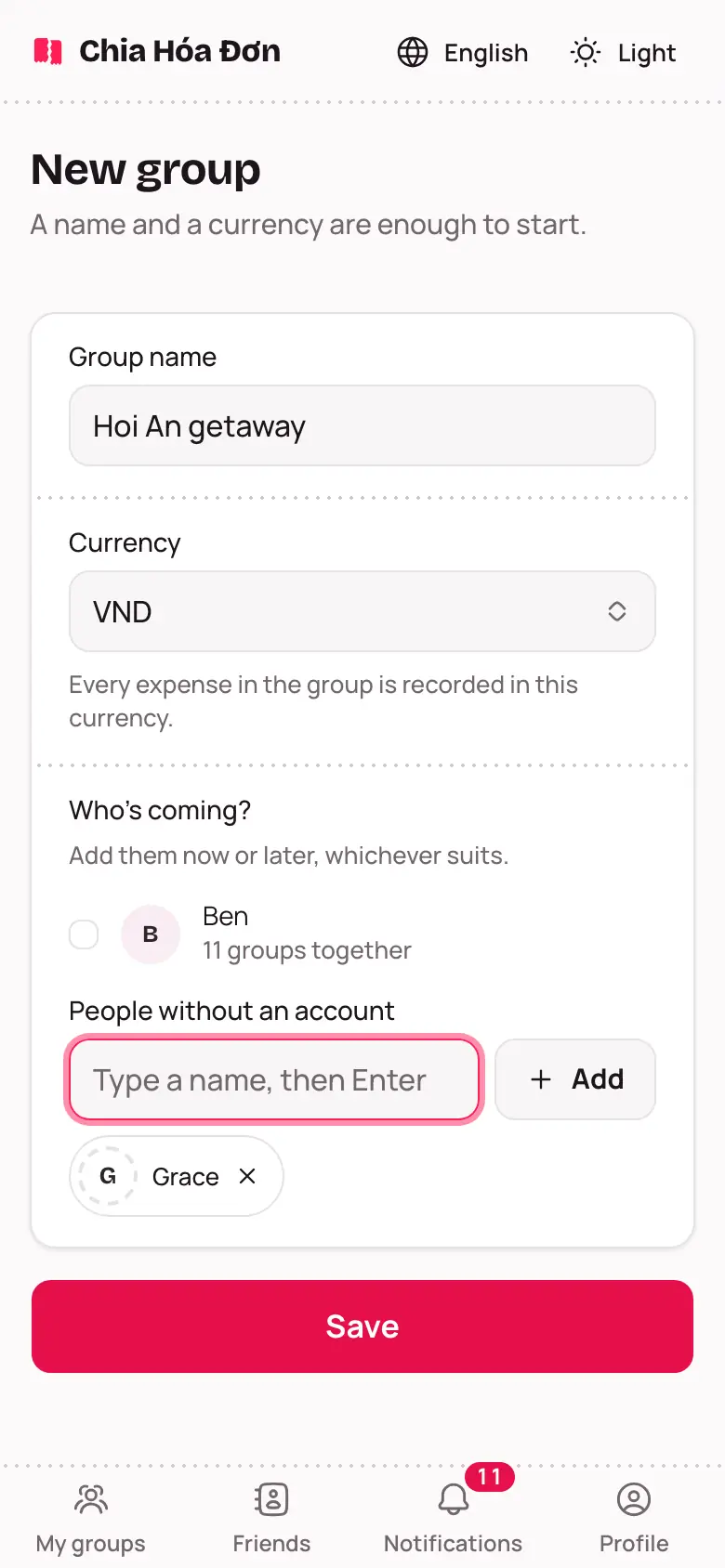
Not sure who's coming yet? You can add people later.
Invite with a link or QR code
- Open the group and choose the People tab.
- Tap Make an invite link.
- Tap Copy the link and paste it into Zalo or Messenger. Sitting together? Tap QR code and let them scan it.
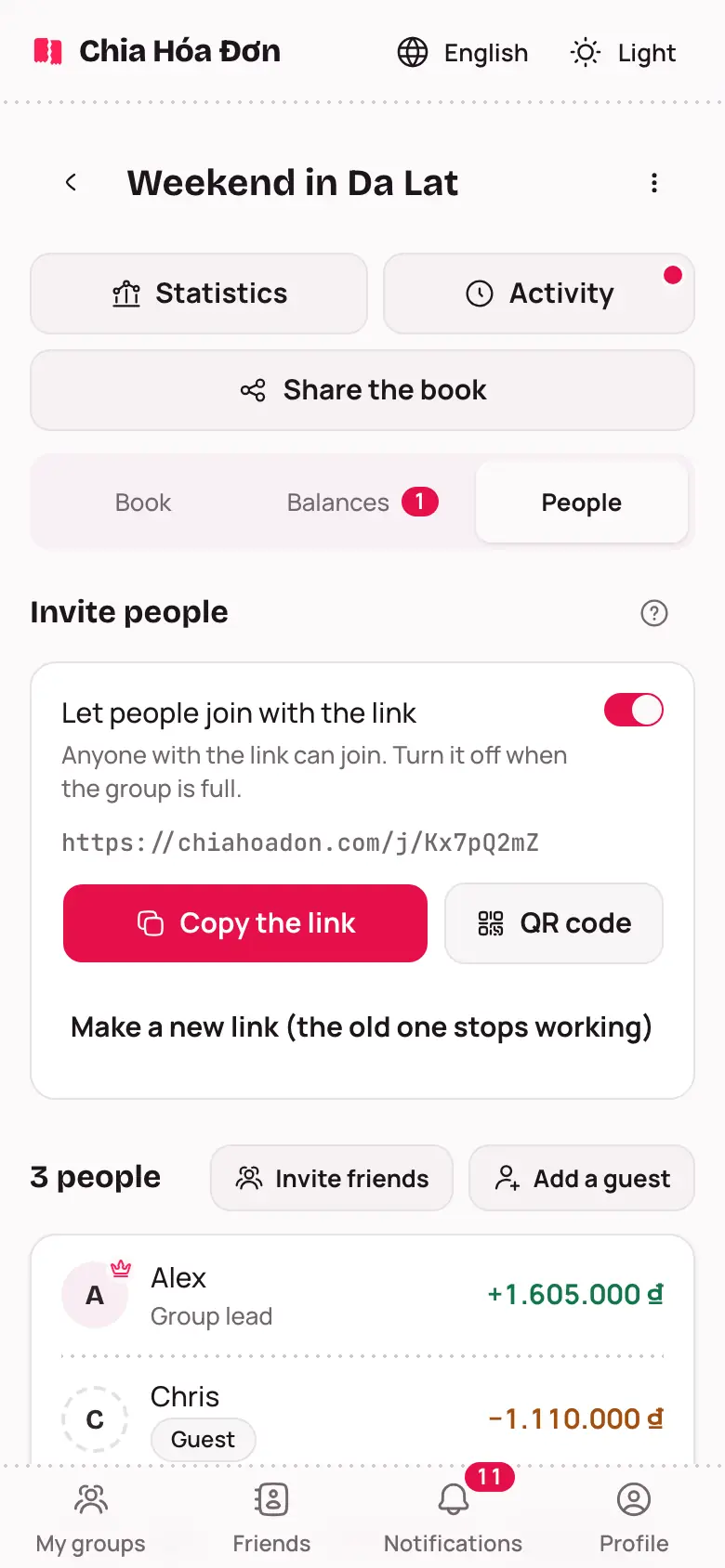
Add a guest with no account
Someone not using the app? You can still record money for them.
- On the People tab, tap Add a guest.
- Type their name and tap Add.
If they want to see the book themselves later, open their name in the list and choose Send a claim link. When they open it, the spot becomes theirs. See Joining a group from an invite link.
Add people in the group as friends
On the People tab, anyone with an account you are not friends with yet has an Add friend button next to their balance. Tap it to send a request; once they accept, you are friends. You do not need to be friends to invite someone you have shared a group with into a new group. See Friends.