Joining a group from an invite link
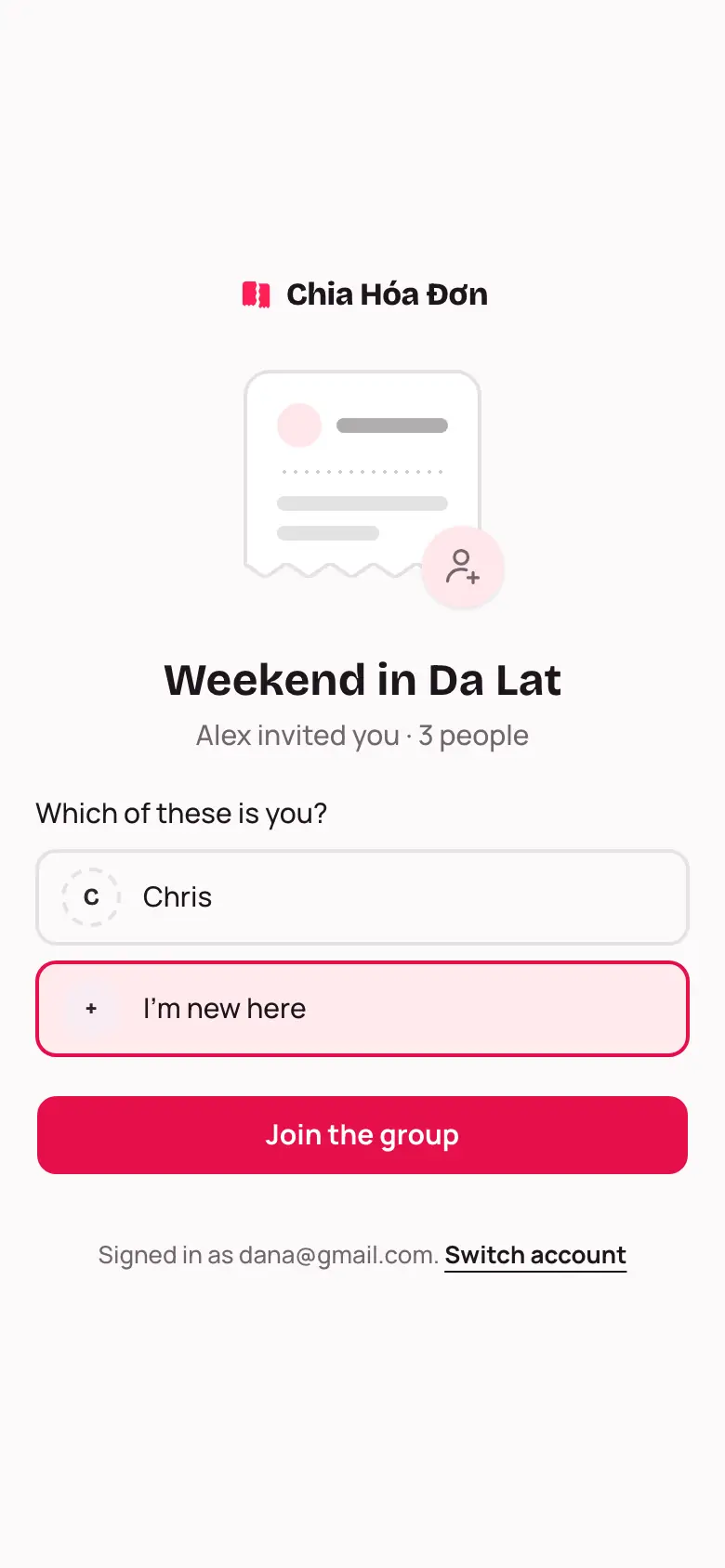
Open the link a friend sent, sign in, and pick your own name if the group already has a spot for you.
Whoever made the group sends you an invite link, on Zalo, Messenger or by text. You don't search for groups in the app; you just open the link.
Join the group
- Tap the invite link.
- Not signed in yet? Tap Sign in and join. After signing in you come straight back to this page.
- You'll see Which of these is you?
- If your name is on the list, pick it. If not, pick I'm new here.
- Tap Join the group.
Taking over a guest spot
Before you had an account, the group lead may have added you as a guest and recorded expenses for you. Pick that name, and every expense and balance already recorded becomes yours. Nothing needs typing in again.
The link won't open?
This link no longer works means the lead made a new link or switched the old one off. Ask them for the latest one.
If you opened the link inside Zalo or Facebook and can't sign in, tap Open in Chrome.