Creating a group fund
Name it, pick a currency, add who's paying in, and invite by link. Who becomes the treasurer.
Create a fund
- Under Group funds, tap New group fund.
- Type the Fund name, like "Class 5A fund".
- Leave the Currency as VND, or pick another one.
- Under Who's paying in?, tick friends or type names one at a time into List of payers. Got a whole class? Paste the list, one name per line.
- Tap Save.
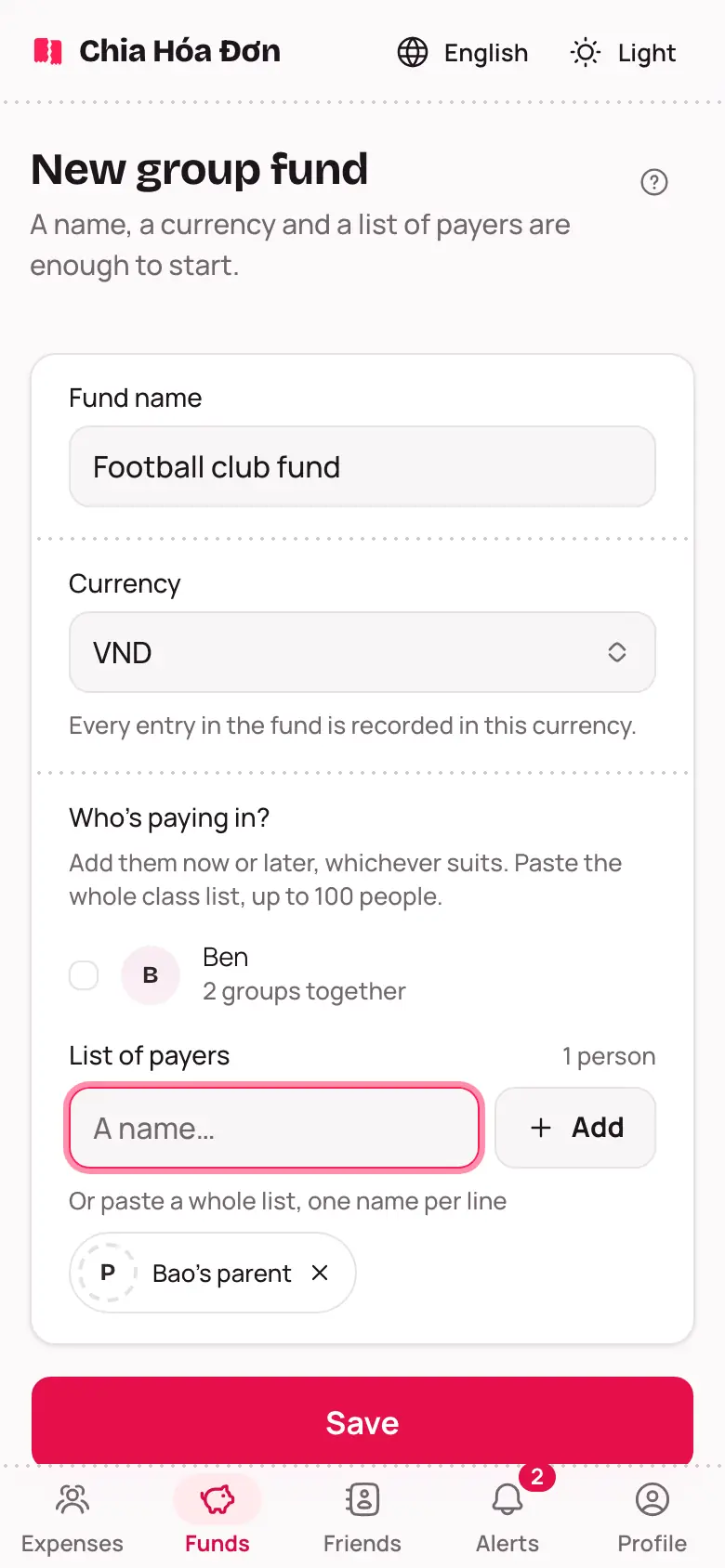
No full list yet? That's fine — add people later from the People tab.
Who's the treasurer?
Whoever creates the fund becomes the treasurer — the only one who can close the fund or name another deputy. A treasurer can add a deputy treasurer to help open rounds and record money. See Treasurers and deputies.
Invite payers
Under People, tap Make an invite link and send it over Zalo or Messenger. Anyone who taps it joins the fund; somebody with no account just needs adding by name, no link required.
Want people to see the fund without an account? See Sharing a group fund.