Starting a collection round
Set an amount per person and a due date, choose who owes it, then track who's paid and who hasn't.
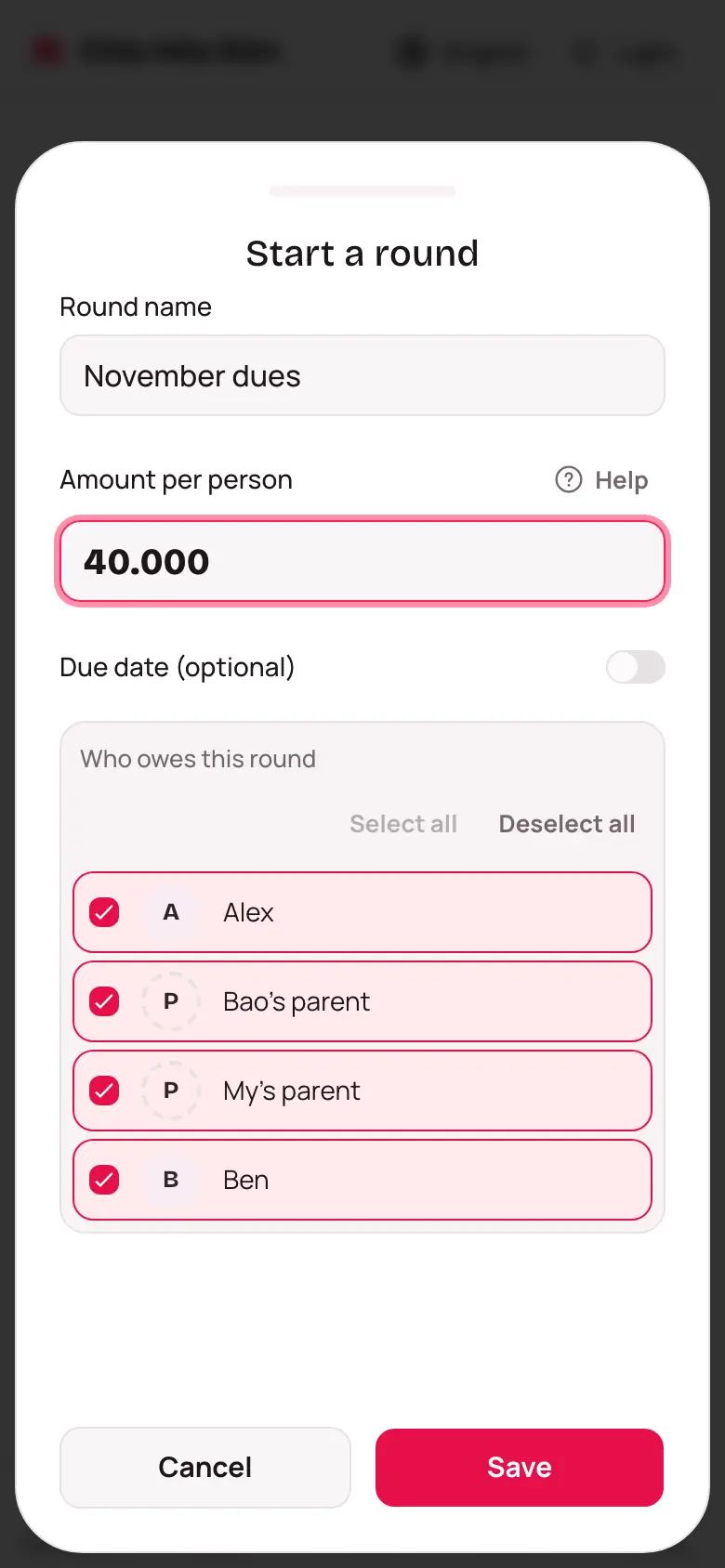
Start a round
- Open the fund and go to the Rounds tab.
- Tap Start a round.
- Type the Round name, like "October dues".
- Type the Amount per person.
- Need a deadline? Turn on Due date (optional), then pick Sunday, Month end, or tap Another day for the calendar.
- Under Who owes this round, everyone starts ticked — tap Deselect all and tick back just a few, or Select all to tick everyone again.
- Tap Save.
The paid / unpaid table
Open a round to see a table of everyone: Paid in full, Still owing, Overpaid, or Exempt. Filter by status at the top.
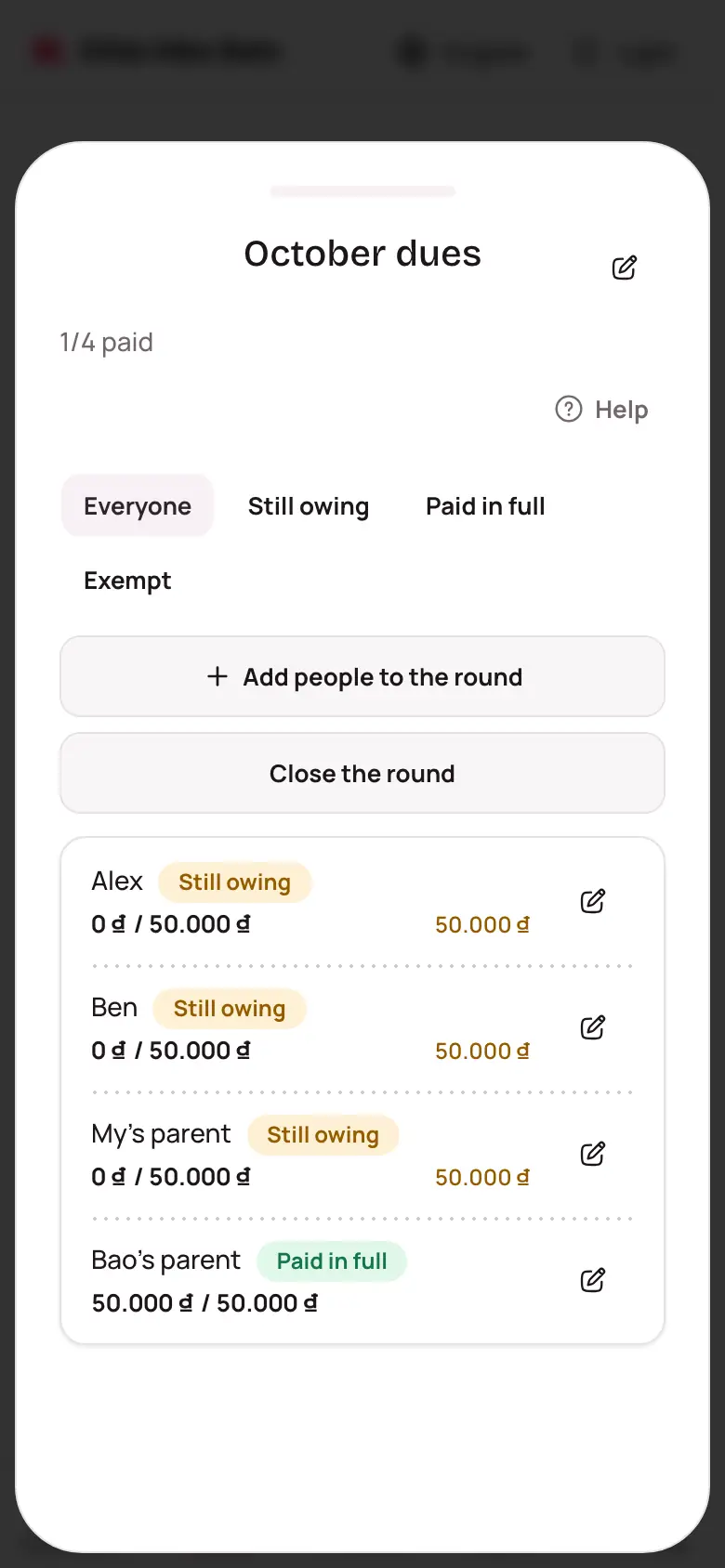
Adding people once a round is already open? Tap Add people to the round at the top. To change what one person owes, tap the pencil beside their name to open Change what's due — 0 means exempt from this round.
Closing or reopening a round
Done collecting? Tap Close the round: no more payments or changes can be recorded, though it can still be viewed and exported. Need to record more? Tap Reopen the round.