Seeing who owes whom
The Balances tab shows what each person gets back or owes, and suggests who should pay whom.
Open the group and choose the Balances tab. Every number here is worked out from the expenses and transfers.
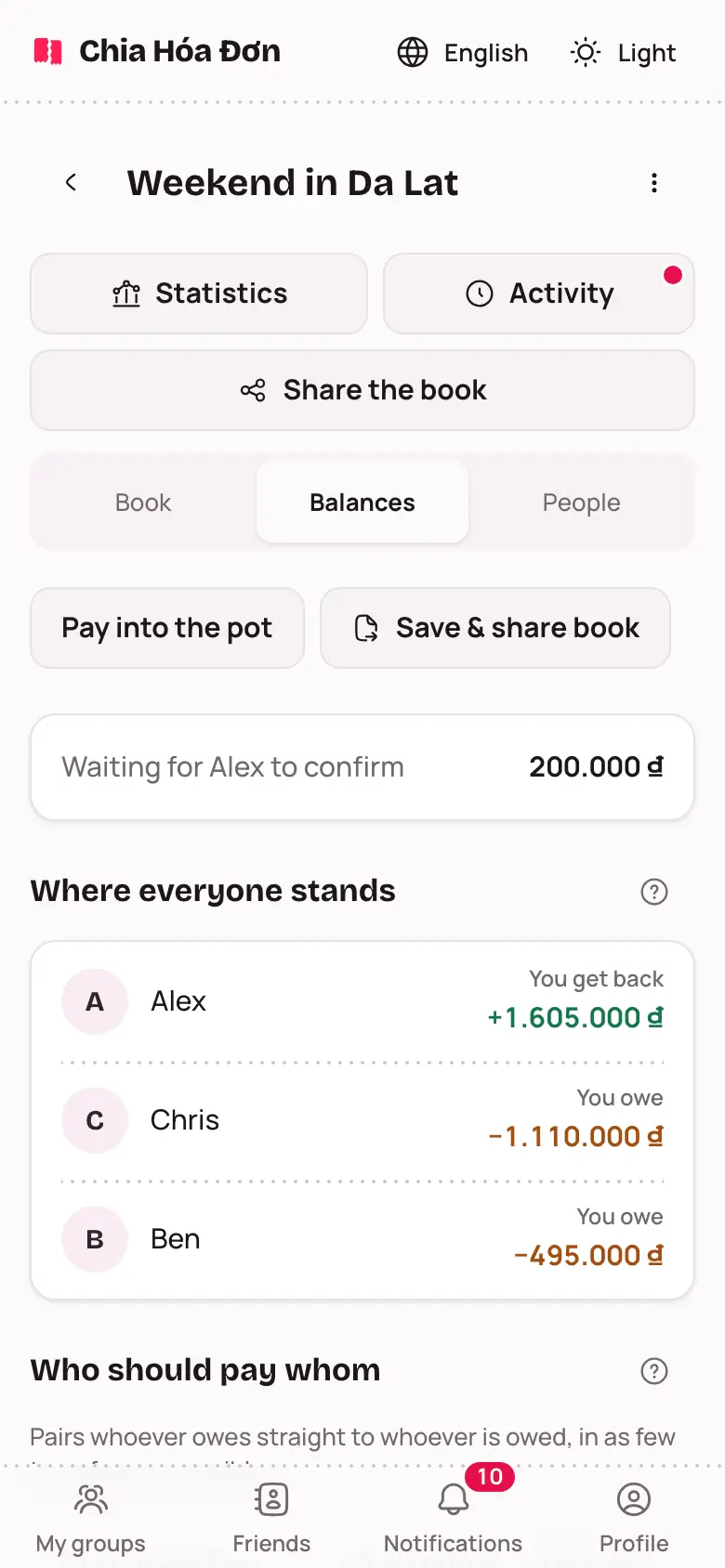
Reading the Balances tab
- Where everyone stands: each person's balance, marked You get back or You owe.
- Who should pay whom: the transfers that would settle the whole group, such as "Ben pays Alex 495,000 ₫".
- If the person being paid has saved a bank account, the line has a QR code button to pay by bank transfer. If not, the line says there is no QR yet, with an Ask to add button to ask them to add an account.
- Names in the plan are always full names, like Where everyone stands above.
- Payments still waiting to be confirmed show at the top, like Waiting for Alex to confirm.
When everyone is back to zero, the tab says All settled.
How the group settles up
Right under Who should pay whom, the group lead picks How to settle up:
- Fewest transfers: whoever owes pays whoever is owed directly. The smallest number of transfers.
- Through one person: everyone who owes pays one person, who then pays the others back. More transfers, but the group only has to remember one person.
Everyone else sees which option the group uses, with a short explanation.
Ready to pay? See Settling up.