Splitting unevenly
Split by amount, by percent, by shares, or when somebody treats part of the bill.
Not everything is split equally. In the Add an expense form, find How to split it and pick the way that fits.
By amount
Each person pays an exact amount, such as the dish they ordered.
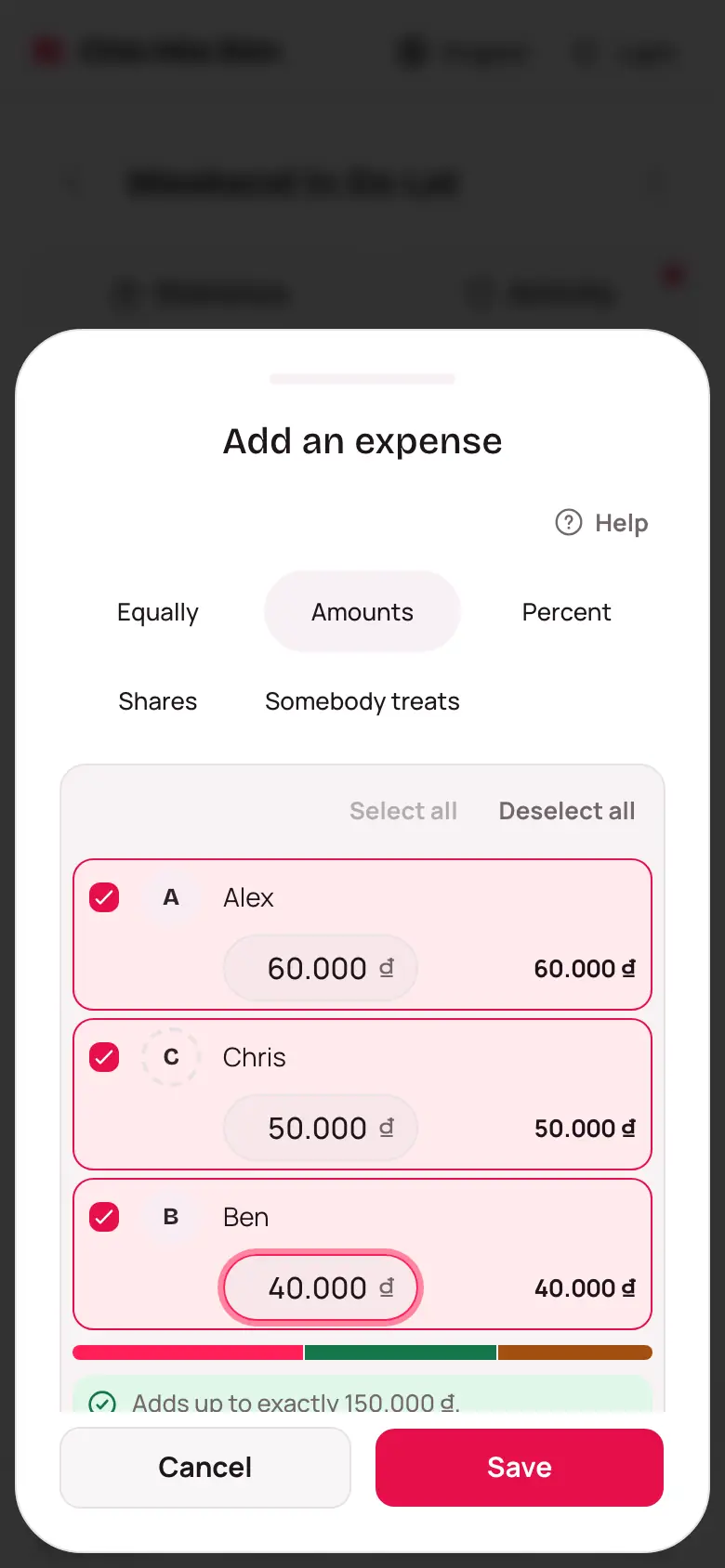
- Under How to split it, choose Amounts.
- Type an amount next to each person's name.
- Watch the total line underneath. It tells you how much is still missing or over.
- Once it adds up, tap Save.
By percent
Choose Percent and type a percentage for each person. It has to add up to 100%.
By shares
Handy when someone counts double, like a couple travelling with the group. Choose Shares, type 2 for them and 1 for everyone else. The app shows roughly what each share costs.
Somebody treats
Choose Somebody treats. Whoever treats enters what they cover; everyone left blank splits the rest equally.