Your account and profile
Change what people call you, your photo and language, add an account to be paid into, or ask for your account to be deleted.
Everything about you lives in Profile, in the bottom bar or the left column. Profile has the tabs Account, Bank, Notifications, Preferences, Help.
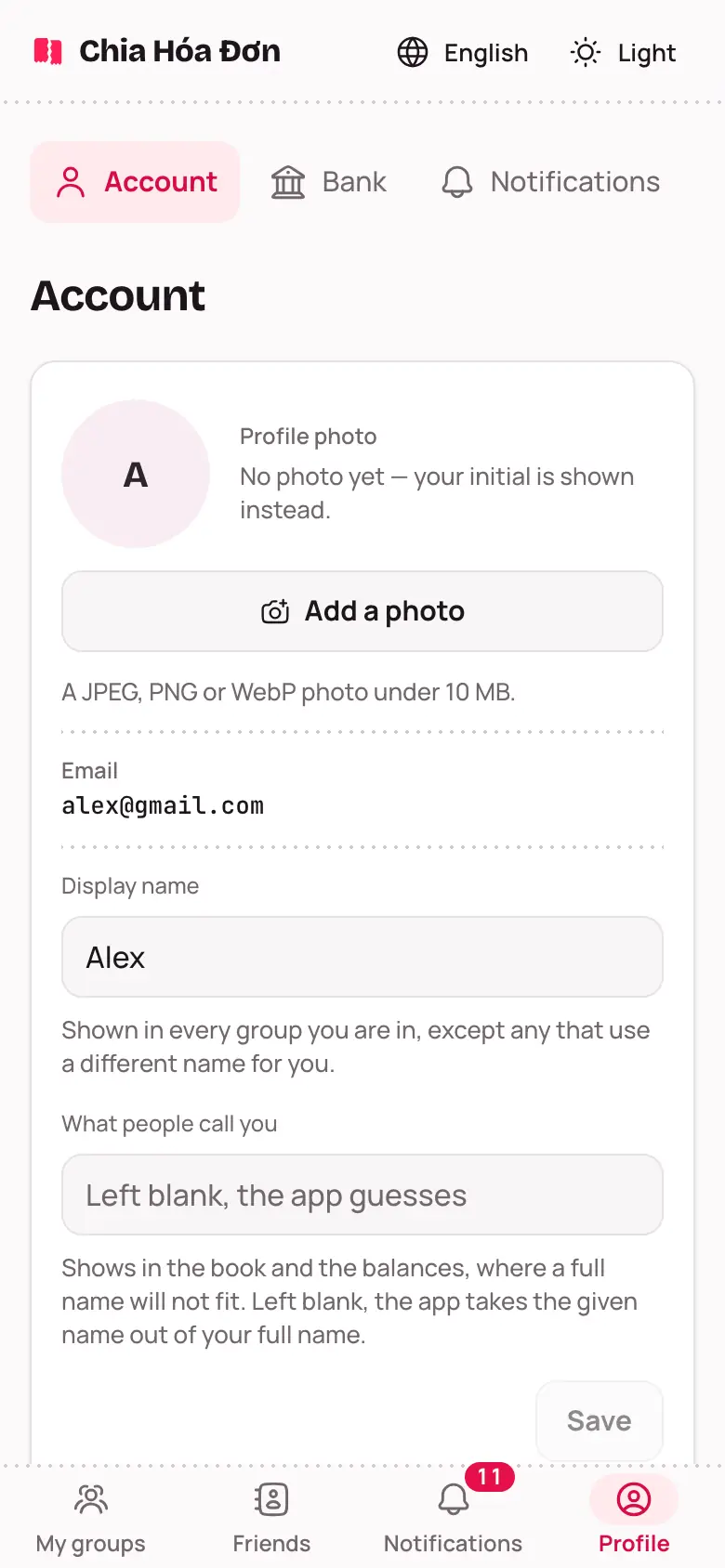
Name and photo
- What people call you: the short name shown in the book and balances. Type a new one and tap Save.
- Display name: your full name; change it any time and tap Save. It shows in all your groups, except one that uses another name for you.
- Profile photo: tap Add a photo or Change photo and pick a picture. Rather not have one? Tap Remove photo.
Language and appearance
On the Preferences tab, choose Tiếng Việt or English, and Light, Dark or Match the system. Emails and notifications follow the language you used most recently.
Account to be paid into
- On the Bank tab, tap Add a bank account.
- Pick the Bank, then type the Account number and Account holder's name.
- Tap Save.
People who owe you then see a QR code button. Group members use the number to pay you, and it only counts inside that group. If a group has public sharing on, anyone with its link can see it.
Delete your account
Chia Hóa Đơn has no button to delete your own account. To have it deleted, send a request through Feedback or email us (the address is in the Privacy policy), saying which email you sign in with. We delete it and reply.
If you still owe money or lead a group other people are in, we will ask you to sort that out first, so nobody else's balance goes wrong.